

Event page or RSVP link? Which to share
All plans
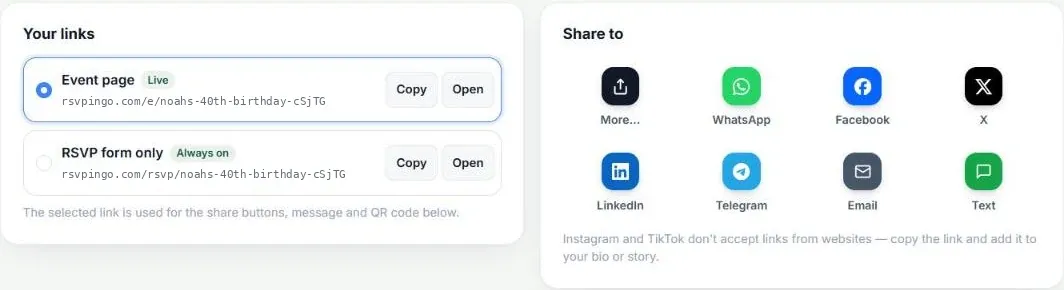
Every event has two links. The Event page (rsvpingo.com/e/…) is your full website with the RSVP form on it. The RSVP form only link (rsvpingo.com/rsvp/…) opens just the form. Both save replies to the same guest list.
Which one to use
Section titled “Which one to use”| Share the… | When |
|---|---|
| Event page | Most of the time. Guests see the schedule, venue, FAQ, registry and photos before they reply |
| RSVP form only | You just need a quick yes or no, such as a reminder text, a work chat, or guests who’ve already seen the page. Also useful while your page is still a draft |
What the RSVP-only link shows
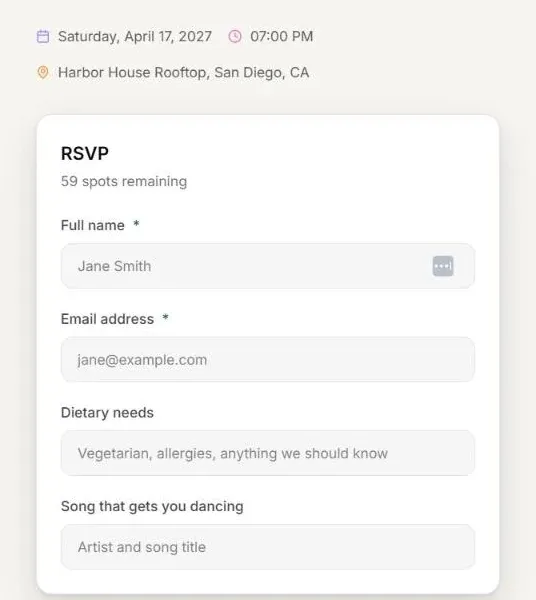
Section titled “What the RSVP-only link shows”The RSVP link shows your event name, description, date, time and venue at the top, then the form. If you’ve set a guest limit and chosen to show it, guests see how many spots are left.
Find your links
Section titled “Find your links”- Click Share in your event’s menu. Under Your links, click Copy or Open next to either link.
- On the event Overview, the Share card shows both links.
- On the Guest List page, use Copy RSVP link in the top bar.
Good to know
Section titled “Good to know”- The RSVP link is Always on, even when your event page is in Draft. Guests can reply before your page is finished.
- On the Share page, the link you select is the one used by the share buttons, invite message and QR code.
- Both links use the same questions from your RSVP form.
- Sending personal invitations by email? Each guest gets their own link, so you can see who has opened it and replied.