

Set a guest limit and use the waitlist
All plans
Open your event, click Details, and type a number in Max guests. Click Save. When the event is full, new replies go to the waitlist, so you never have more people than places.
Video transcript
Here's how to set a guest limit, and let a waitlist take over when you're full.
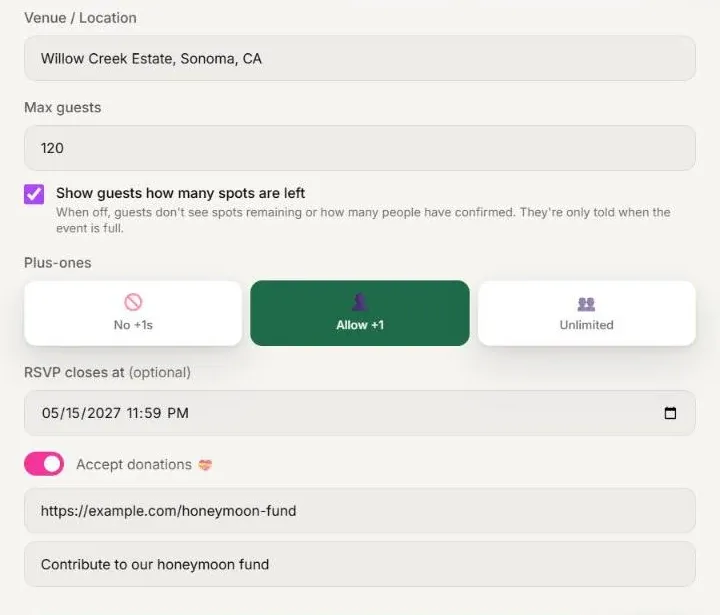
Open your event and click Details. Under Max guests, enter how many people you can fit.
Tick Show guests how many spots are left if you'd like a little urgency. Plus-ones count towards your limit too.
Guests see how many spots remain, right on your RSVP form.
Once you're full, new replies join the waitlist. You'll see it on your overview, and you can email waitlisted guests if a spot opens up.
You'll find the step-by-step guide at help.rsvpingo.com.
Set the limit
Section titled “Set the limit”- Open your event and click Details.
- Under Max guests, enter the most people you can host.
- Choose whether to tick Show guests how many spots are left:
- On: the RSVP form shows the places left, for example 68 spots remaining.
- Off: guests don’t see the places left or how many people have confirmed. They’re only told when the event is full.
- Click Save.
How the limit counts people
Section titled “How the limit counts people”The limit counts people, not replies. A guest who brings a plus-one takes two places, and a household of four takes four. The Guests attending card on the Overview shows how full you are, for example 59 / 120.
The waitlist
Section titled “The waitlist”Once the event is full, guests can still reply, and they go on the waitlist instead of the confirmed list. The Waitlist card on the Overview shows how many people are waiting.
Use the waitlist to:
- See how much demand there is, for example to argue for a bigger room next time.
- Fill places when someone drops out.
- Keep waiting guests in the loop. In Emails, choose Waitlist under Send to. See Email your guests.
Limits for parts of an event
Section titled “Limits for parts of an event”If your event has several parts, each part can have its own capacity, for example a 30-seat rehearsal dinner inside a 120-guest weekend. See Plan a multi-day event.