

Your dashboard
All plans
Your dashboard is the first screen after you sign in. It shows your next event, a list of all your events, and the latest RSVPs across all of them. Click Manage event to open an event, or New event to create one.
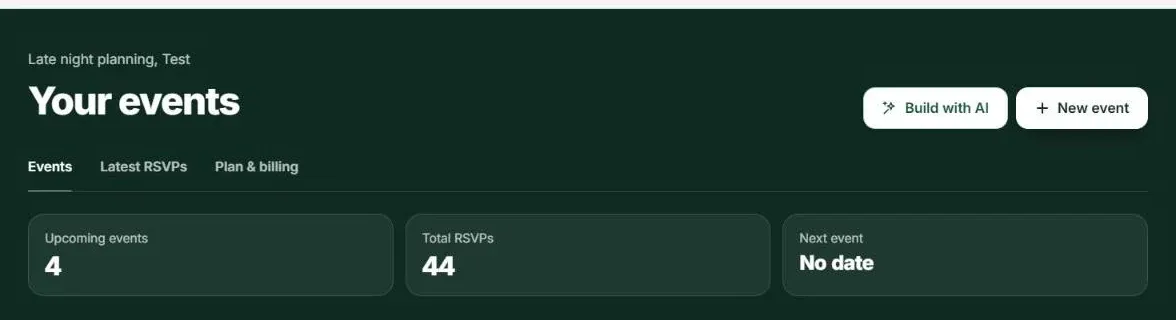
What’s on the dashboard
Section titled “What’s on the dashboard”- Build with AI and New event: two ways to create an event. See Create your first event.
- Upcoming events, Total RSVPs, Next event: a quick count across all your events.
- Next up: your next event, with how many guests have replied against your guest limit, and three shortcuts:
- Manage event opens the event.
- Copy RSVP link copies the link to its RSVP form, ready to paste into a message.
- Check-in opens check-in mode for the door.
- All events: every event you own or co-host. Switch between Upcoming and Past.
- Latest RSVPs: the most recent replies across all your events, with the guest’s name, the event and whether they’re going.
- Events: the view described above.
- Latest RSVPs: jumps to the list of recent replies.
- Plan & billing: opens your plan. See Plans and event passes.
Account menu
Section titled “Account menu”Click your initial in the top right for Dashboard, Plans & billing and Sign out. The bell next to it shows your notifications.